
Internationalized Next.js Project with i18next Integration
To enable seamless multilingual functionality, a Next.js project is configured with i18next (either via next‑i18next or react‑i18next, depending on the router). It has server-side translation loading, locale-based routing, JSON translation files, and hooks/components (like useTranslation, serverSideTranslations, and appWithTranslation) for dynamically switching languages and rendering translated user interface content.
About This Project
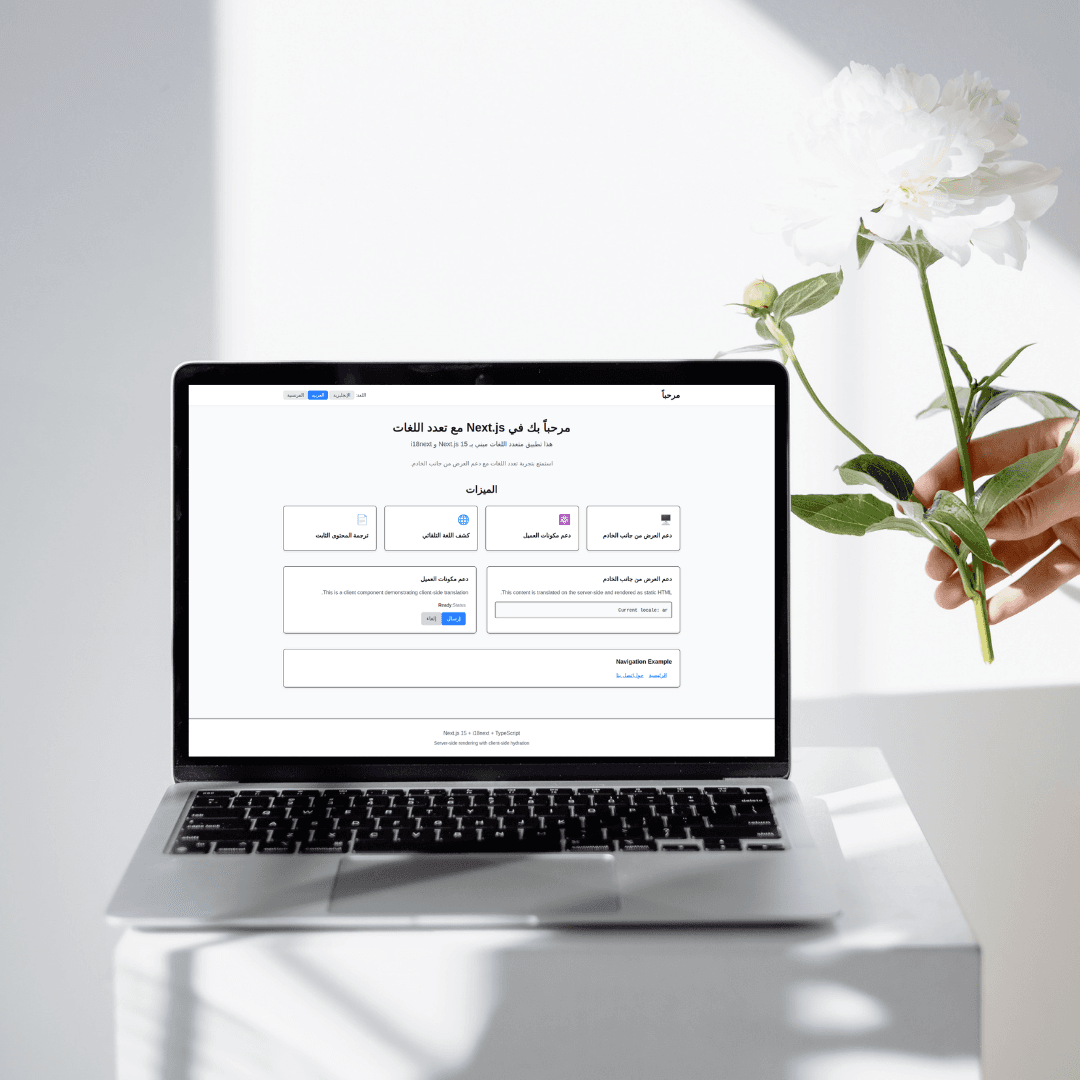
A complete internationalization (i18n) setup for Next.js 15 using i18next and react-i18next with App Router support.
Features
- Server-side rendering with i18next
- Client-side hydration with react-i18next
- Automatic language detection from the browser
- URL-based routing (
/en/,/ar/,/fr/) - Metadata translation (title, description)
- RTL support for Arabic
- TypeScript support with type safety
- Language switcher component
- SEO-friendly URLs
- Multi-language support (English, Arabic, French)
- Docker support for containerized deployment
Quick Start
Local Development
Install dependencies:
npm installRun the development server:
npm run devOpen your browser:
- English: http://localhost:3000/en
- Arabic: http://localhost:3000/ar
- French: http://localhost:3000/fr
Docker Development
Run with Docker Compose (Development):
Using profiles
docker-compose --profile dev upOr using a dedicated dev compose file
docker-compose -f docker-compose.dev.yml upBuild and run in the background
docker-compose -f docker-compose.dev.yml up -d --buildRun standalone development:
docker-compose --profile standalone upAccess the application:
- English: http://localhost:3000/en
- Arabic: http://localhost:3000/ar
- French: http://localhost:3000/fr
Docker Production
Build and run production container:
Using Docker Compose
docker-compose --profile prod up --buildOr build a Docker image directly
docker build -t nextjs-i18n .
docker run -p 3000:3000 nextjs-i18n
Using Docker commands:
Build the image
docker build -t nextjs-i18n-app Run the container
docker run -d -p 3000:3000 --name nextjs-i18n nextjs-i18n-appView logs
docker logs nextjs-i18nStop and remove
docker stop nextjs-i18n
docker rm nextjs-i18n
Project Structure
├── app/
│ ├── [locale]/
│ │ ├── layout.tsx # Locale-specific layout
│ │ ├── page.tsx # Home page
│ │ ├── about/
│ │ │ └── page.tsx # About page
│ │ └── contact/
│ │ └── page.tsx # Contact page
│ ├── layout.tsx # Root layout
│ └── globals.css # Global styles
├── components/
│ ├── I18nProvider.tsx # Client-side i18n provider
│ ├── LanguageSwitcher.tsx # Language switcher component
│ └── ClientComponent.tsx # Example client component
├── lib/
│ ├── i18n.ts # Client-side i18n config
│ ├── i18n-server.ts # Server-side i18n utilities
│ └── constants.ts # Language constants
├── public/
│ └── locales/
│ ├── en/
│ │ └── translation.json # English translations
│ ├── ar/
│ │ └── translation.json # Arabic translations
│ └── fr/
│ └── translation.json # French translations
├── types/
│ └── i18next.d.ts # TypeScript declarations
├── Dockerfile # Docker configuration
├── docker-compose.yml # Docker Compose configuration
├── docker-compose.dev.yml # Development Docker Compose
├── .dockerignore # Docker ignore file
└── middleware.ts # Locale detection middleware
Configuration
Supported Languages
Currently configured languages (can be modified in lib/constants.ts):
- English (
en) - Default - Arabic (
ar) - French (
fr)
Adding New Languages
Add locale to configuration:
lib/constants.ts
export const languages = ['en', 'ar', 'fr', 'es']; // Add 'es' for SpanishCreate translation file:
mkdir public/locales/es
cp public/locales/en/translation.json public/locales/es/translation.json
Translate the content in the new JSON file.
Update the LanguageSwitcher component to include the new language option.
Translation Files
Translation files are located in public/locales/{locale}/translation.json:
{
  "metadata": {
    "title": "Page Title",
    "description": "Page Description"
  },
  "navigation": {
    "home": "Home",
    "about": "About"
  },
  "common": {
    "welcome": "Welcome",
    "language": "Language",
    "english": "English",
    "arabic": "Arabic",
    "french": "French"
  }
}
Routing
The application uses Next.js 15 App Router with dynamic segments:
/→ Redirects to/en(default locale)/en→ English home page/ar→ Arabic home page/fr→ French home page/en/about→ English about page/ar/about→ Arabic about page/fr/about→ French about page
Automatic Language Detection
The middleware automatically detects the user's preferred language from:
URL path (/en/, /ar/, /fr/)
Accept-Language header
Falls back to the default language (en)
RTL Support
Arabic language automatically enables RTL (Right-to-Left) layout:
const direction = locale === 'ar' ? 'rtl' : 'ltr';

return (
  <html lang={locale} dir={direction}>
    {/* Content */}
  </html>
);
CSS classes with RTL support:
.space-x-4/* Normal spacing */
.rtl: space-x-reverse;
.rtl
.rtl/* RTL spacing */;
SEO Benefits
- Server-side rendering: Content is translated on the server
- Proper HTML lang attribute:
<html lang="en">,<html lang="ar">, or<html lang="fr"> - SEO-friendly URLs:
/en/about,/ar/about,/fr/about - Translated metadata: Title and description in each language
- Static generation: Pages can be statically generated for each locale
Docker Configuration
Development
The development setup includes:
- Hot reload support
- Volume mounting for real-time code changes
- Development optimizations
- Debug capabilities
Development with hot reload
docker-compose -f docker-compose.dev.yml upView logs
docker-compose -f docker-compose.dev.yml logs -fProduction
The production setup includes:
- Multi-stage build optimization
- Minimal image size using Alpine Linux
- Security best practices
- Standalone Next.js output
Production build and run
docker-compose --profile prod up --buildScale the application
docker-compose --profile prod up --scale nextjs-prod=3Docker Commands
Build a development image
docker build --target deps -t nextjs-i18n:devBuild production image
docker build --target runner -t nextjs-i18n:prodRun with environment variables
docker run -p 3000:3000 -e NODE_ENV=production nextjs-i18n:prodInspect the image
docker inspect nextjs-i18n:prodRemove all related containers and images
docker-compose down --rmi allDevelopment
Type Safety
The project includes TypeScript declarations for i18next to provide autocomplete and type checking for translation keys:
// types/i18next.d.ts
declare module 'i18next' {
  interface CustomTypeOptions {
    defaultNS: 'translation';
    resources: Resources;
  }
}
Adding New Translation Keys
Add the key to all translation files (en, ar, fr)
Update the Resources interface in types/i18next.d.ts
Use the new key in your components
Dependencies
next: ^15.3.2react: ^19.0.0i18next: Latestreact-i18next: Latesti18next-http-backend: Latesti18next-browser-languagedetector: Latest
Production Deployment
Local Production Build
npm run build
npm start
Docker Production Deployment
Build and deploy with Docker
docker build -t nextjs-i18n
docker run -d -p 3000:3000 --name nextjs-i18n-prod nextjs-i18n
Or use Docker Compose
docker-compose --profile prod up -d --buildContainer Orchestration
For production deployments, consider using:
- Kubernetes for container orchestration
- Docker Swarm for simpler clustering
- Cloud services like AWS ECS, Google Cloud Run, or Azure Container Instances
The application is production-ready with:
- Static generation support
- Optimized bundle sizes
- Server-side rendering
- SEO optimization
- Performance optimizations
- Docker containerization
- Security best practices
Gallery


Timeline
Technologies


